

Open from Marketing → Meta Ads, or Settings → Integrations → Facebook Lead Ads → Manage.
✨ What you can do
- Connect Facebook and sync ad accounts, Pages, and Lead Forms
- Pause or activate campaigns and ads
- Review spend, clicks, leads, and cost per lead
- Turn on lead delivery and send forms into PowerLists
📑 Tabs at a glance
🔌 Connect Facebook
1
Connect
Go to Marketing → Meta Ads (or Integrations) → Connect Facebook → sign in and approve permissions.
2
Sync
Click Sync Assets to pull ad accounts, Pages, and Lead Forms.
3
Select account
Choose an Ad Account from the top dropdown.
4
Turn on leads
Open Pages & Lead Forms → turn Leads On for your Page.
🛠️ Top bar buttons
📝 Overview
Quick snapshot of your Meta connection — not for editing ads.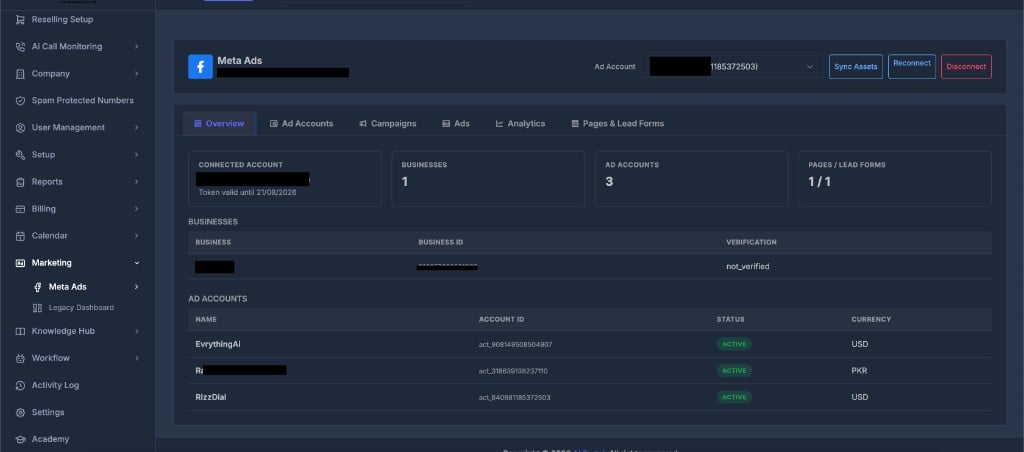
- Connected Account — Facebook name and token expiry
- Businesses / Ad Accounts / Pages — summary counts
- Tables listing businesses and ad accounts with status and currency
💼 Ad Accounts
Pick the ad account for campaigns, ads, and analytics.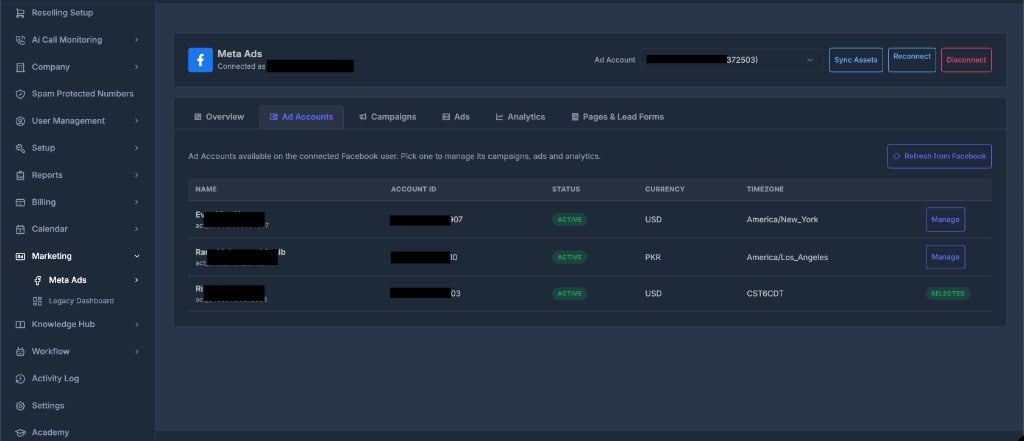
- Click Manage to use an account
- Selected means it is active in the header dropdown
- Click Refresh from Facebook to update the list
📣 Campaigns
Create and control campaigns for the selected ad account.
Create a campaign
- Select ad account → Create Campaign
- Enter name and choose objective
- Click Create Campaign
- Click the arrow on a row to expand and view Ad Sets
- Pause = stop spend fast | Activate = confirm to start delivery
🖼️ Ads
Manage individual ads. Filter by campaign or ad set.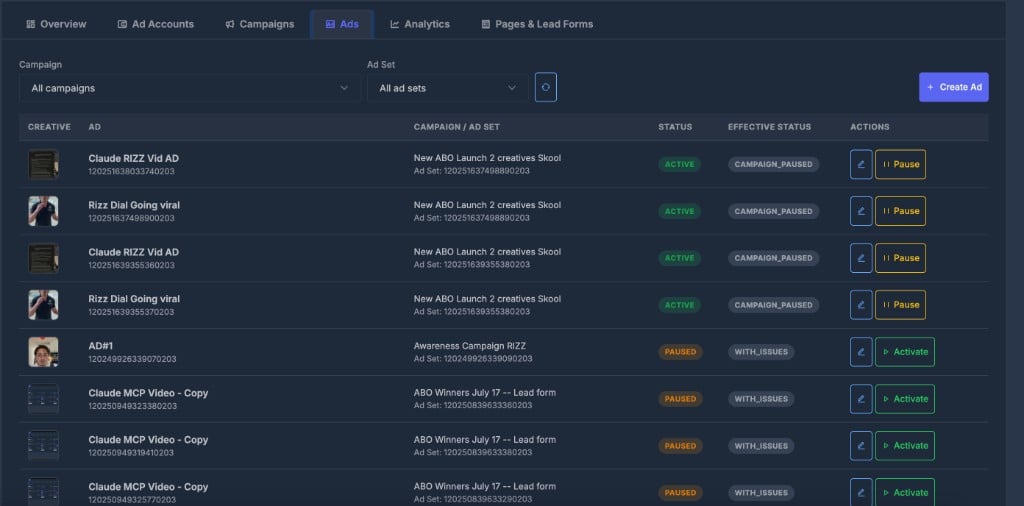
Create an ad
- Create Ad → enter name
- Pick Campaign → Ad Set → Creative (must exist in Facebook first)
- Click Create Ad
📊 Analytics
Performance for the selected ad account and date range.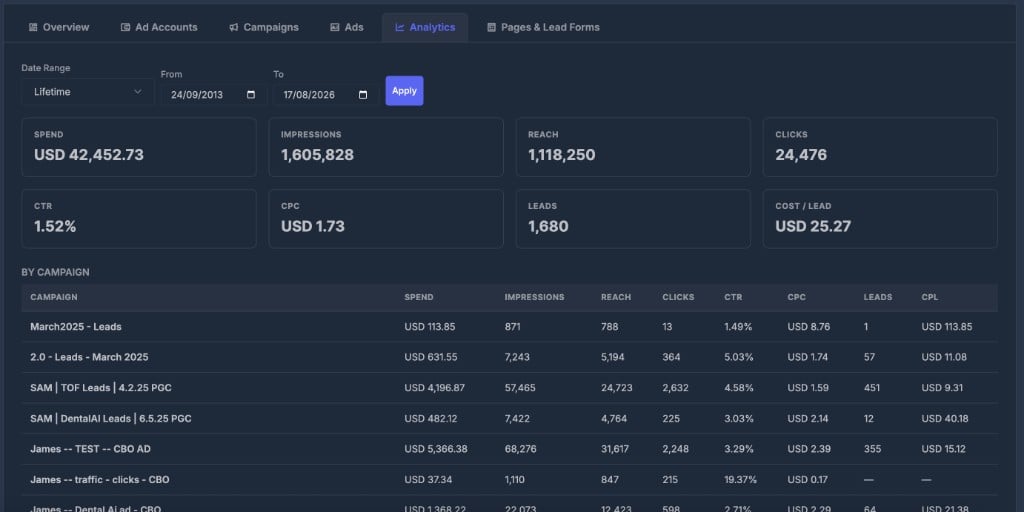
📄 Pages & Lead Forms
Turn Facebook form fills into contacts you can call or text.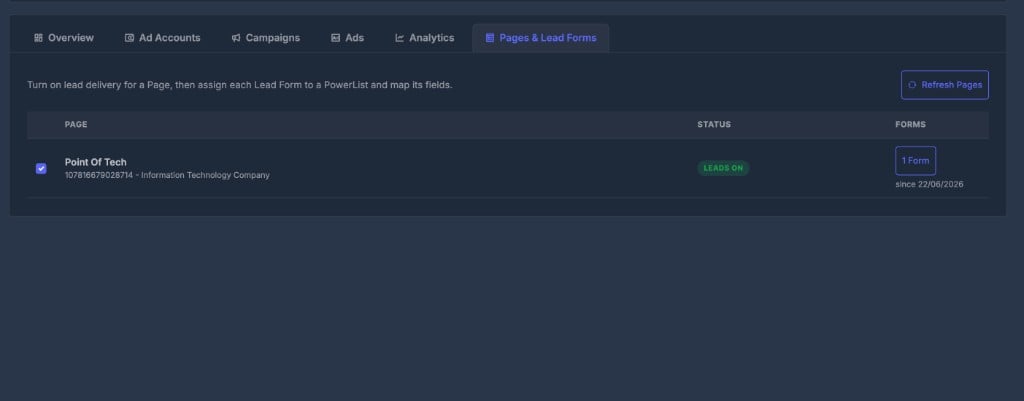
For each form:
- Turn Leads On for the Page
- Click Forms → assign a PowerList
- Click Map Fields → match Facebook questions to contact fields → Save Mapping